Overview
Notion AI agents can handle multi-step work across a workspace. Persistent Instructions shape how the Notion Agent responds, while reusable Skills let it perform repeatable tasks on demand.
Strengths
- Agents can create, query, and edit databases; create and update content; and search across sources and analyze information.
- An active Instructions page sets persistent preferences such as tone, formatting, and response rules for chats with Notion Agent.
- Skills are saved prompts for repeatable tasks; they can be run in chat or on selected page text.
Best for
People and teams who want consistent response preferences and a reusable way to handle recurring tasks in Notion.
Limitations
Only one Instructions page can be active for Notion Agent at a time; it can be switched when needed. Instructions for Notion Agent are separate from the instructions configured for Custom Agents.
Workflow
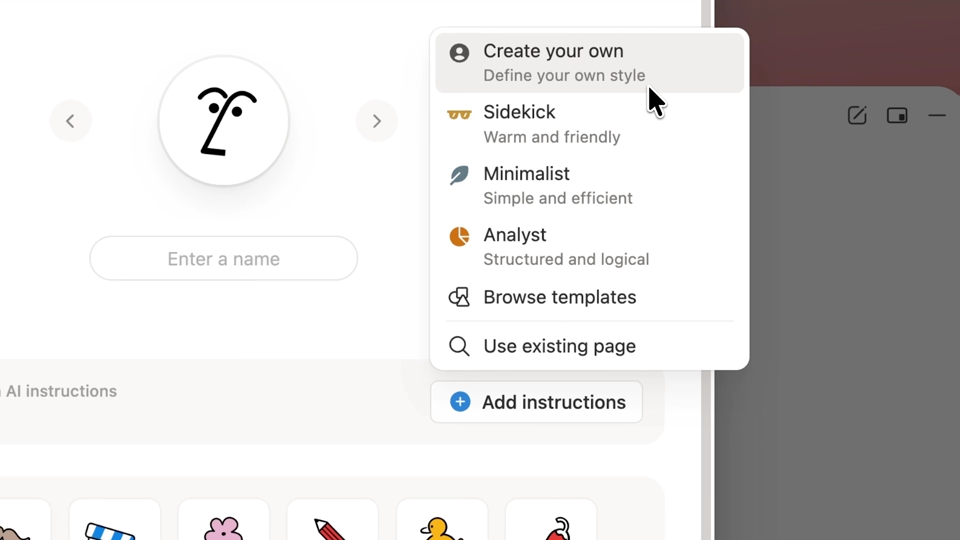
- In Notion Agent, choose Personalize and Add Instructions; start from a template or create instructions from a new or existing page.
- To create a Skill, write a reusable prompt on a page, then choose Use with AI and Use as AI skill.
- Run a Skill by naming its page in chat, or select page text and choose the Skill from the text editor menu.
Reviews
Share your experience. Reviews are published after moderation.
Write a review